
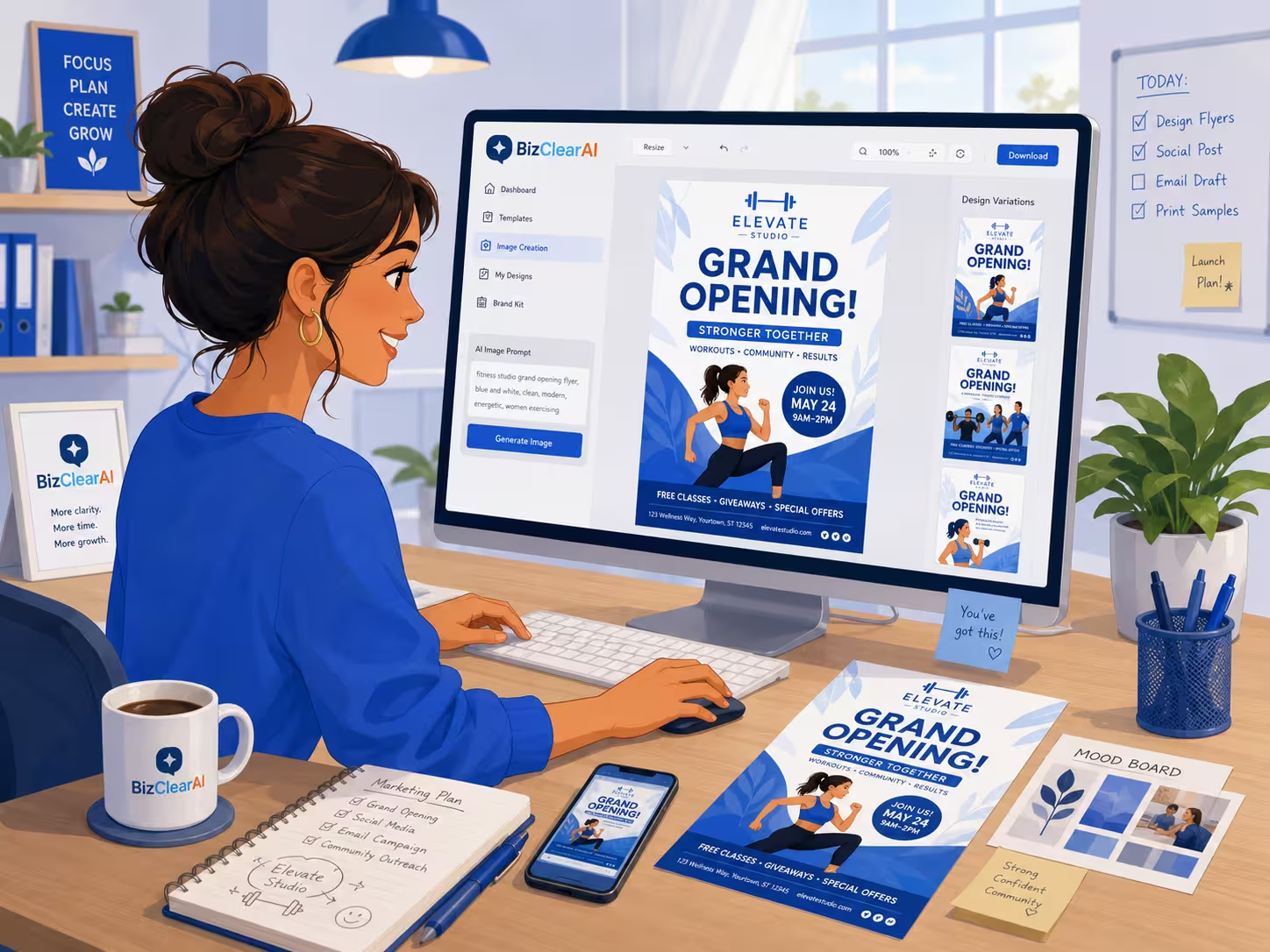
How Small Businesses Can Use AI Image Generation Without Hiring a Designer
Jul 23, 2026
19 min read
Want a Custom AI Consultation?
Experience how BizClearAI can transform your business with immediate, actionable insights and AI-powered consulting.
Small businesses need more visual content than ever. A single business may need images for its website, Google Business Profile, social media accounts, email promotions, blog posts, flyers, presentations, advertisements, and seasonal offers.
Hiring a professional designer for every image is not realistic for many owners. At the same time, relying on random stock photos can make a business look generic or disconnected from its actual customers.
AI image generation gives small businesses another option. It allows an owner to describe an image in plain language and generate a custom visual in minutes. The results can be useful, but only when the business starts with a clear purpose, provides detailed instructions, and reviews the image carefully before publishing it.
Direct Answer: How Can a Small Business Use AI Image Generation?
A small business can use AI image generation to create custom graphics, promotional concepts, blog illustrations, social media visuals, website images, and presentation artwork without hiring a designer for every task. The best results come from giving the AI specific instructions about the image’s purpose, audience, setting, brand style, composition, and dimensions—and then treating the first output as a draft rather than a finished design.
AI image tools work best for routine, lower-risk creative needs. A professional designer may still be the better choice for logos, permanent brand assets, complex print materials, packaging, or high-budget advertising campaigns.
What Is AI Image Generation for Small Business?
AI image generation is the process of creating an original visual from a written description. Instead of searching through stock-photo libraries or building a design from scratch, the business owner enters instructions such as:
Create a friendly editorial-style illustration of a neighborhood plumber reviewing new service requests on a tablet beside a work van. Use a clean white and blue color palette, leave open space on the right for a headline, and format the image for a horizontal blog banner.
The AI then interprets those instructions and produces one or more images.
For a small business, the value is not simply that the image appears quickly. The real value is the ability to create a visual for a very specific situation that may not exist in a stock-photo library.
A roofing contractor could show a homeowner reviewing a roof inspection. A salon could create seasonal service promotions using a consistent visual style. A consultant could generate illustrations for articles about planning, hiring, or cash flow.
That level of customization was previously difficult without photography, illustration, or design support.
What Can Small Businesses Create With AI Images?
AI image generation is most useful when the business has a clear content need but does not require a permanent, highly regulated, or technically exact visual.
Social Media Images
Businesses can create visuals for:
Educational posts
Service reminders
Seasonal promotions
Customer tips
New-service announcements
Local-event posts
Before-and-after concepts
Hiring announcements
A landscaper, for example, could create an image showing a homeowner preparing a yard for hurricane season. A salon could create a visual promoting appointment availability before a holiday weekend.
The image should support the post rather than replace the message. A useful social image gives the reader a reason to stop scrolling and understand the topic quickly.
Blog and Website Illustrations
Custom images can make business articles feel more relevant than generic stock photography.
A plumbing company publishing an article about preventing pipe damage could generate an illustration showing a homeowner inspecting a leak under a kitchen sink. A business consultant writing about cash flow could use an image of a small-business owner reviewing invoices and expenses.
These visuals can help explain the subject of the page, but businesses should still optimize filenames, alternative text, captions, and surrounding copy rather than expecting the image alone to improve search visibility.
Promotional Concepts
AI can help create early concepts for:
Flyers
Event promotions
Email banners
Special offers
Service packages
Product launches
Seasonal campaigns
The generated image can provide the central visual, while the final price, offer, headline, phone number, and legal terms can be added separately in a design tool.
This distinction matters because AI image generators often struggle to reproduce exact text, numbers, and logos consistently.
Presentation and Proposal Visuals
Consultants, contractors, agencies, and local service providers can create simple illustrations for proposals and presentations.
Examples include:
A diagram showing a customer journey
An illustration representing business growth
A local service technician meeting with a homeowner
A visual showing the steps in a project
Industry-specific section dividers
The image should make the presentation easier to understand, not merely fill empty space.
Product and Service Concept Images
AI images can help visualize a new idea before investing in professional photography or design.
A retailer could test several seasonal display concepts. A restaurant could explore ideas for a catering promotion. A contractor could create an illustration showing how a renovated outdoor space might be used.
These images should be labeled as concepts when there is any chance that customers could mistake them for actual products, completed work, menu items, or facilities.
When Should a Small Business Not Use an AI-Generated Image?
AI image generation is not appropriate for every situation.
A business should be cautious when the image could affect a customer’s purchasing decision or create a false impression about what the company has actually done.
Avoid presenting an AI-generated image as:
A real customer
A completed project
An actual employee
A genuine product photograph
A real menu item
A licensed professional
A real business location
A documented before-and-after result
For example, a remodeling contractor should not place an AI-generated luxury kitchen in a project portfolio unless it is clearly identified as a concept. A restaurant should not use a generated entrée as though it were a photograph of the food customers will receive.
Businesses should also be careful when creating images involving health, safety, legal services, financial results, or regulated products. In these cases, accuracy and context matter more than visual convenience.
An AI-generated image should never be used to manufacture evidence, fabricate a testimonial, or imply a result the business cannot support.
A Step-by-Step AI Image Generation Workflow
The quality of the final image depends heavily on the process used before and after generation.
Step 1: Define the Business Purpose
Start by completing this sentence:
This image should help the customer __________.
Possible answers include:
Understand a service
Notice a promotion
Read an article
Picture a positive outcome
Recognize a common problem
Take the next step
Remember the business
This prevents the owner from creating an attractive image that does not help achieve a business objective.
Step 2: Identify the Audience
Describe who should recognize themselves in the image.
Instead of requesting “a customer,” specify:
A homeowner with an older house
A first-time business owner
A busy parent visiting a neighborhood salon
A restaurant manager reviewing weekly inventory
A local contractor preparing an estimate
A retailer serving women ages 35 to 60
The audience description influences the setting, clothing, activity, mood, and level of formality.
Step 3: Choose the Image Format
Specify where the image will appear before generating it.
Common formats include:
Square social post
Vertical story or reel cover
Horizontal website banner
Blog featured image
Email header
Presentation slide
Printable flyer
Online advertisement
Ask for open space where headlines or buttons will be added later. This is often called negative space or copy space.
For example:
Leave uncluttered space on the left side for a short headline.
Without this instruction, the AI may place important subjects across the entire canvas, leaving nowhere to add text.
Step 4: Describe the Scene
Include the main subject, activity, setting, and important supporting details.
A weak description:
Create an image of a plumber.
A stronger description:
Create an image of a uniformed residential plumber speaking with a homeowner in a bright kitchen after inspecting a leaking sink. Show a professional tool bag nearby, a clean workspace, and a calm, reassuring interaction.
The stronger description explains what is happening and what the viewer should feel.
Step 5: Define the Visual Style
The same subject can look completely different depending on the requested style.
Possible styles include:
Realistic commercial photography
Clean editorial illustration
Friendly cartoon
Minimal line art
Modern flat illustration
Hand-drawn sketch
Watercolor
Three-dimensional rendering
Professional infographic style
A business should choose one or two repeatable styles rather than changing styles for every post. Consistency helps customers recognize the company’s content.
Step 6: Add Brand Direction
Describe the brand instead of assuming the AI knows it.
Include details such as:
Primary and secondary colors
Light or dark visual style
Formal or friendly tone
Modern or traditional appearance
Simple or detailed backgrounds
Typical customer environment
Level of diversity
Clothing or uniform expectations
Whether space is needed for a logo
A business might say:
Use a clean white background with navy and light-blue accents. The visual should feel practical, approachable, and professional rather than futuristic.
Do not depend on the generator to reproduce the business’s exact logo. It is usually better to add the real logo afterward.
Step 7: Generate Several Versions
The first image should be treated as a concept.
Create multiple versions and compare:
Which image communicates the purpose fastest?
Does the person’s activity make sense?
Does the setting look realistic?
Is there enough room for text?
Does the image fit the brand?
Are there strange details?
Would a customer misunderstand anything?
Small changes in wording can produce substantially different results.
Step 8: Inspect the Image Carefully
Look beyond the overall appearance.
Review:
Hands and fingers
Tools and equipment
Signs and labels
Reflections
Background objects
Clothing details
Facial expressions
Product shapes
Doors, windows, and furniture
Text or numbers accidentally generated
Safety equipment
Industry-specific procedures
A generated electrician should not be shown touching live electrical equipment without proper protective measures. A contractor’s tools should not appear distorted or impossible to use. A restaurant kitchen should not contain obvious sanitation problems.
AI does not automatically understand what is safe, accurate, or appropriate for every industry.
Step 9: Add Final Business Information Separately
Use a design or editing tool to add:
Business logo
Headline
Offer
Call to action
Phone number
Website address
Dates
Prices
Disclaimers
Keeping these elements separate reduces spelling errors and helps maintain consistent branding.
Step 10: Save the Prompt and Final Specifications
When an image works, save the instructions that produced it.
Record:
The complete prompt
Image dimensions
Visual style
Brand colors
Subject placement
Editing steps
Final use
File naming convention
This turns a one-time success into a repeatable process.
Copyable AI Image Prompt Template
Use this framework when creating a business image:
Create a [image type or style] for a [type of business]. The image will be used for [website, blog, social media, advertisement, email, flyer, or presentation] and should help customers [desired purpose].
Show [main person, product, service, or object] [performing a specific action] in [location or setting]. Include [important supporting details].
The target audience is [customer description]. The image should feel [three brand adjectives].
Use [brand colors or visual palette] and a [simple, realistic, editorial, illustrated, modern, traditional, or other] visual style. Avoid [unwanted objects, styles, colors, expressions, or visual clichés].
Place the main subject [left, center, or right] and leave open space [location] for [headline, offer, logo, or button].
Format the image as [dimensions or orientation]. Do not include written text, logos, watermarks, or distorted objects.
Example Prompt for a Local Contractor
Create a realistic commercial-style image for a residential roofing contractor. The image will be used as a horizontal blog banner for an article about roof inspections and should help homeowners understand the value of identifying damage early.
Show a professional roofing contractor standing safely on a ladder near the edge of a suburban home while reviewing roof conditions with a tablet. Include appropriate safety equipment, a clean work vehicle in the background, and a homeowner speaking with the contractor from the ground.
The target audience is homeowners with houses more than 10 years old. The image should feel trustworthy, calm, and professional.
Use natural colors with subtle navy accents. Avoid dramatic storm damage, unsafe behavior, sales clichés, or exaggerated expressions.
Place the contractor and homeowner on the right side and leave uncluttered sky and roof space on the left for a headline.
Format the image as a 16:9 horizontal banner. Do not include text, logos, watermarks, or distorted tools.
Three Realistic Small-Business Examples
Example 1: A Plumber Creating Social Media Tips
A plumber wants to publish one maintenance tip each week but does not have enough original photographs.
The business develops a consistent illustrated style using blue uniforms, residential settings, clean backgrounds, and space for a headline. It generates images for topics such as leaking faucets, clogged drains, water-heater warning signs, and seasonal pipe maintenance.
The plumber adds the real company logo and tip text afterward.
This works because the images are educational illustrations. They are not presented as photographs of completed customer jobs.
Example 2: A Salon Promoting Seasonal Services
A salon wants to promote appointment openings before wedding season.
Instead of requesting a generic beauty image, the owner creates a prompt showing a stylist consulting with a client in a bright, welcoming salon. The prompt specifies the salon’s colors, realistic hairstyles, an inclusive mix of customers, and space for the promotion.
The salon then adds the actual service package, booking link, dates, and logo separately.
The image supports the promotion while the factual information remains under the business’s control.
Example 3: A Consultant Illustrating a Business Article
A small-business consultant publishes an article about deciding which business problem to fix first.
The consultant generates an editorial illustration of a business owner seated at a desk with several competing priorities—customer inquiries, invoices, staffing notes, and a marketing calendar—while organizing them into a simple action plan.
The image makes an abstract business problem easier to understand. It also feels more specific than a stock photo of people pointing at charts in a conference room.
How to Keep AI Images Consistent With Your Brand
The biggest challenge is not generating one good image. It is producing a group of images that look as though they belong to the same business.
Create a short visual guide that defines:
Brand Colors
List the primary, secondary, and neutral colors. Include color codes when the tool supports them, but remember that generated colors may not match perfectly.
Preferred Style
Choose a repeatable direction, such as:
Bright, realistic local-business photography
Friendly editorial cartoons
Clean, modern illustrations
Simple line drawings
Warm, neighborhood-focused imagery
Customer Representation
Describe the types of customers, employees, settings, clothing, and activities that should commonly appear.
Composition Rules
Decide whether images should usually have:
Open space for text
Subjects on one side
Simple backgrounds
Eye-level camera angles
Minimal visual clutter
No embedded words or logos
Elements to Avoid
Document visual choices that do not fit the business, such as:
Futuristic robots
Glowing computer graphics
Excessive corporate imagery
Unrealistic luxury settings
Overly posed models
Unrelated office environments
Exaggerated emotions
Saving these instructions in a brand prompt can reduce inconsistency across future images.
Common AI Image Generation Mistakes
Asking for Something Too General
“Create a business image” gives the AI almost no useful direction.
Specify the business, customer, action, setting, intended use, composition, and style.
Trying to Generate Too Much Text Inside the Image
Image generators may misspell words, change prices, alter phone numbers, or create meaningless lettering.
Generate the central visual first and add important text afterward.
Publishing the First Result
An image may look acceptable at a glance but contain distorted hands, incorrect tools, unsafe work practices, or confusing background details.
Review every part of the image before using it.
Using a Different Style Every Time
Constantly switching between realistic photographs, cartoons, watercolor images, and futuristic graphics can make the company’s content feel disconnected.
Choose a consistent visual system.
Making the Image Look More Successful Than the Business Really Is
Avoid fake storefronts, fictional teams, invented product displays, or unrealistic customer crowds when customers might interpret them as real.
The goal is to communicate—not to misrepresent.
Assuming the Image Is Legally Risk-Free
AI image policies, copyright questions, trademark concerns, and commercial-use terms can vary by provider and may change over time.
Businesses should review the image tool’s current terms, avoid intentionally copying protected characters or living artists’ recognizable styles, and be careful with brand names, celebrity likenesses, copyrighted properties, and recognizable individuals.
Review current guidance from the U.S. Copyright Office concerning copyright and works containing AI-generated material.
Review the U.S. Federal Trade Commission’s guidance on truthful advertising and avoiding deceptive claims.
A Pre-Publishing Checklist for AI-Generated Business Images
Before publishing, confirm:
The image has a clear business purpose.
The subject and setting fit the intended customer.
The visual matches the company’s brand style.
The dimensions are correct for the platform.
There is enough space for any added text.
Hands, tools, products, and background objects look natural.
The image does not show unsafe or inaccurate practices.
No accidental text, fake logo, or watermark appears.
The visual does not imply a fake customer, project, result, location, or employee.
Prices, dates, claims, and contact information were added separately and verified.
The image complies with the generator’s commercial-use terms.
The final file has a descriptive name and appropriate alternative text.
Does AI Image Generation Replace a Graphic Designer?
AI image generation can reduce the need to hire a designer for every routine piece of visual content, but it does not eliminate the need for professional design.
A designer contributes more than image production. Designers understand brand systems, typography, hierarchy, accessibility, layout, print requirements, campaign consistency, and how visual choices influence customer behavior.
Consider hiring a professional for:
Logo design
Complete brand identity
Product packaging
Vehicle wraps
Permanent signage
Complex brochures
High-budget advertising
Technical illustrations
Investor presentations
Major website redesigns
Print projects with exact production requirements
AI is most useful for producing first drafts, supporting visuals, campaign concepts, and routine content where speed and affordability matter more than perfect originality.
A Simple Monthly AI Image Plan
Small businesses can avoid random content creation by planning a small batch of images each month.
A practical monthly plan might include:
One website or blog image
Two educational social media images
One promotional image
One seasonal or community-focused image
One reusable background or presentation visual
Create the prompts together so the images share the same style, colors, audience, and composition.
Then record which images produced actual results, such as:
More page visits
Longer article engagement
Social saves or shares
Email clicks
Promotion inquiries
Appointment requests
The best image is not necessarily the most artistic. It is the one that helps the customer notice, understand, trust, or act.
How BizClearAI Can Help With Small-Business Image Creation
Creating the image is only one part of the process. A business also needs to research and decide what visuals to make, how they fit into a campaign, what message should accompany them, and how to use them consistently.
BizClearAI’s Image Generation feature is designed to help small-business owners create custom visuals while working through the broader business purpose behind them. A business can use BizClearAI to develop an image prompt, content plan, campaign checklist, social media script, brand-image SOP, or step-by-step strategy tailored to its audience and goals.
The aim is not to replace professional designers. It is to give small businesses a practical way to create routine visual content when hiring a designer for every image is not affordable or necessary.
Frequently Asked Questions About AI Image Generation for Small Business
Can small businesses use AI-generated images commercially?
Many AI image platforms permit some form of commercial use, but the rules differ by provider, account type, and jurisdiction. Review the platform’s current terms before publishing, especially for paid advertisements, product packaging, merchandise, or permanent brand assets.
What are the best uses of AI image generation for a small business?
Common uses include blog illustrations, social media graphics, email banners, presentation visuals, seasonal promotions, advertising concepts, and educational content. It is especially useful when the business needs a specific scene that is difficult to find in a stock-photo library.
Should a small business use AI to make its logo?
AI can help explore logo concepts, but a permanent logo should usually be refined or created by a qualified designer. AI-generated logo concepts may have originality, trademark, consistency, and reproduction problems that do not become obvious until the business tries to use the logo across different formats.
How do I write a good AI image prompt for my business?
Describe the image’s purpose, intended customer, main subject, activity, setting, visual style, brand colors, composition, dimensions, and elements to avoid. Ask for open space where you plan to add a headline or logo, and add exact business text separately.
Can I use AI images instead of stock photos?
Yes, especially for educational content, conceptual scenes, and business-specific illustrations. However, real photography may be more credible for employees, products, completed projects, facilities, food, customer experiences, and other areas where authenticity influences purchasing decisions.
Do I have to tell customers an image was created with AI?
Disclosure requirements depend on the context, platform, jurisdiction, and how the image is being used. Even when formal disclosure is not required, businesses should clearly label concept images whenever a customer could mistake them for a real product, location, employee, project, or result.
How can I make all my AI business images look consistent?
Use a saved brand prompt that defines your preferred style, colors, customer types, environments, composition, lighting, and elements to avoid. Reuse that foundation for every prompt and make only the changes needed for the individual topic.
Final Takeaway
AI image generation gives small businesses a practical way to create more customized visual content without hiring a designer for every blog post, promotion, or social update.
The technology is most useful when it supports a clear business purpose. Define the audience, describe the scene carefully, establish consistent brand rules, generate several options, inspect every detail, and add factual information separately.
Used responsibly, AI-generated images can help a small business communicate ideas faster and more affordably. The goal is not to make the business appear bigger or different from what it really is. The goal is to explain its services, educate its customers, and present its message more clearly.
Share this post
Get Your Actionable Strategy Now
Join the many entrepreneurs using BizClearAI to scale faster and smarter.
No credit card required • Get 70 credits free every month