

How to Onboard a New Employee as a Small Business Owner (Step-by-Step)
Apr 14, 2026
11 min read
Want a Custom AI Consultation?
Experience how BizClearAI can transform your business with immediate, actionable insights and AI-powered consulting.
Hiring someone new is a big deal—especially in a small business.
You’re not just filling a seat; you’re bringing in someone who can:
Free up your time
Improve customer experience
Help you grow faster
But if you don’t onboard them well, they’ll feel lost, make avoidable mistakes, and might even leave early.
Quick Answer: What Should Small Business Employee Onboarding Include?
Small business employee onboarding should include first-day preparation, role expectations, paperwork, tool access, company policies, task training, introductions, customer service standards, safety or compliance basics, and regular check-ins. The best onboarding process gives new employees a clear path for their first day, first week, and first 30 days. For small businesses, onboarding does not need to be complicated, but it should be organized enough that every new hire gets the same essential information.
This step-by-step guide will show you exactly how to onboard a new employee as a small business owner—and how to use AI (including BizClearAI) to build a simple, repeatable onboarding system that fits your business.
This is part of a bigger shift where small businesses use AI to automate everyday operations.
What “Onboarding” Really Means (and Why It Matters)
Onboarding is more than just:
Filling out tax forms
Showing someone where the coffee machine is
Giving them a quick tour
Onboarding is the process of helping a new hire:
Understand their job clearly
Learn your systems and tools
Fit into your culture and way of doing things
Start doing real, valuable work—confidently
When onboarding is done well:
New employees become productive faster
You get fewer mistakes and repeated questions
People stay longer and feel loyal to your business
As a small business, this is huge. One strong hire who is onboarded well can change your whole week, month, or year.
Step 1: Prepare Before Their First Day
Most small businesses “wing it” on day one.
That’s stressful for you and confusing for them.
Instead, prepare these things in advance.
1.1 Get the basics ready
Workspace set up (desk, tools, uniform, logins, keys, etc.)
Email address and any software accounts
Access to POS system, CRM, booking tools, or other key systems
Printed or digital copy of:
Job description
Basic policies (hours, breaks, dress code, phone use, etc.)
1.2 Prepare a simple “Welcome Pack”
This could be digital or printed and might include:
A welcome note from you
A short description of your business story and mission
Who’s who: list of key team members and what they do
Top 5–10 rules or values you care about most
First-week schedule (even if it’s simple)
1.3 Use AI (and BizClearAI) to create this in minutes
You don’t need to start from scratch.
The key is using AI correctly and avoiding common beginner mistakes.
You can ask BizClearAI something like:
“I own a 3-person coffee shop. Create a simple 1-page welcome pack for a new barista, including our story, values, and what their first week looks like.”
Or:
“Help me draft a clear role overview and expectations for a new plumbing technician in my small home services business.”
You’ll get a starting draft you can quickly edit to fit your style, then use again for future hires.
Step 2: Plan a Great First Day
The first day sets the tone. Your goal: make them feel welcome, clear, and not overwhelmed.
2.1 First 30–60 minutes: Warm welcome
Greet them personally
Give a quick tour of the space
Introduce them to team members
Share your story:
Why you started the business
Who you serve
What makes you different
This helps them feel part of something, not just “a new worker.”
2.2 Next 1–2 hours: Admin and basics
Complete necessary paperwork
Go over:
Work hours and scheduling
How to request time off
Pay schedule basics (no detail beyond general explanation—direct them to your payroll provider or accountant for specifics)
Break rules and expectations
Show them how to:
Clock in/clock out
Access email and tools
Contact you or a supervisor with questions
2.3 Afternoon: Simple, hands-on start
Don’t overload them with long lectures. Let them start doing small, safe tasks with supervision.
Examples:
For a coffee shop:
Practice taking mock orders
Learn how to clean machines
Shadow another barista for 1–2 hours
For a marketing agency:
Show how to log into project management tools
Have them sit in on a client call (just listening)
Assign a small internal task (e.g., draft a social post)
For a boutique retailer:
Learn where everything is in the store
Practice greeting customers
Learn the POS system with test transactions
2.4 Use AI to build a “First-Day Schedule”
You can tell BizClearAI:
“Create a detailed first-day schedule for a new part-time retail associate at my women’s clothing boutique. Include welcome, tour, training, and simple tasks.”
You’ll get a clear, hour-by-hour outline you can reuse every time you hire.
Step 3: Design a Clear First Week
Think of week one as “orientation + confidence building.”
3.1 Set one main goal for week one
Examples:
Coffee shop:
“By the end of week one, you can confidently take orders and handle basic drinks during slower hours.”Small bookkeeping firm:
“By the end of week one, you understand our workflow and can help prepare simple client files with supervision.”Home cleaning business:
“By the end of week one, you can complete a standard 2-hour cleaning following our checklist, paired with a senior cleaner.”
3.2 Break the week into simple daily focuses
Example for a new barista:
Day 1: Orientation, basics, shadowing
Day 2: Practice orders + POS during quiet periods
Day 3: Learn 5–10 core drinks and cleaning routines
Day 4: Serve customers during normal hours (with support)
Day 5: Review, feedback, and practice weak areas
Example for a new virtual assistant in your small agency:
Day 1: Tools, communication, calendar access
Day 2: Email templates, how to respond, practice drafting replies
Day 3: Task management, basic client research
Day 4: Shadow real work and complete small tasks
Day 5: Independent tasks with end-of-week review
3.3 Use AI to build a “Week 1 Training Plan”
Prompt example:
“I run a 4-person social media agency. Create a 5-day onboarding and training plan for a new junior social media assistant. Include daily learning goals and simple tasks.”
You can then copy, tweak, and save this as your standard Week 1 plan.
Step 4: Create a 30–90 Day Onboarding Plan
Onboarding doesn’t end after a week.
Most people need 30–90 days to really feel confident and productive.
4.1 Set clear expectations for the first 30 days
Ask yourself:
What should they be able to do without help after 30 days?
How will I know they’re successful?
Examples:
Hair salon receptionist:
Confident with booking software
Can handle all phone calls
Understands all services and prices
Plumbing tech:
Can complete standard service calls with minimal supervision
Knows how to use job management app
Understands safety basics and customer communication standards
4.2 Schedule check-ins
Keep it simple:
End of Week 1
End of Week 2
End of Month 1
End of Month 3
At each check-in, ask:
What’s going well?
What’s confusing or frustrating?
What do you need more training or clarity on?
4.3 Use AI to draft a 30–90 day roadmap
Ask BizClearAI:
“Help me create a 30–60–90 day plan for a new office manager in my 6-person plumbing business, including learning goals, responsibilities, and check-in questions.”
You’ll get a structured plan you can adjust for each role.
Step 5: Document Your Onboarding So It’s Repeatable
The magic move for small business owners is to turn onboarding into a system, not a one-time scramble.
This is exactly how you start building an AI-ready business structure.
5.1 Create simple SOPs (Standard Operating Procedures)
You don’t need fancy manuals. Start with:
Short checklists
Simple step-by-step guides with screenshots or photos
2–5 minute training videos recorded on your phone
Many of these processes can also be automated to save time and reduce errors.
Examples:
“How to open the shop in the morning”
“How to handle a customer refund”
“How to schedule a service appointment”
5.2 Use AI to turn your rough notes into clean SOPs
You can say:
“Here’s a rough description of how we open our café each morning. Turn this into a clear checklist my staff can follow.”
Or:
“Turn these bullet points into a step-by-step SOP for responding to customer emails in my e-commerce store.”
BizClearAI can help you:
Clean up your wording
Organize steps
Make it easy for new hires to follow
Step 6: Use AI as Your Onboarding “Assistant”
Here’s how you can use AI (including BizClearAI) across the whole onboarding process:
For many businesses, this becomes their first structured AI project.
6.1 Plan and templates
Role descriptions
Welcome messages
First-day and first-week schedules
30–90 day plans
You provide the role and type of business; AI gives you structured drafts.
6.2 Training materials
Turn your spoken or written process into:
Checklists
Step-by-step guides
Simple training modules
Create quizzes or recap questions new hires can answer after training
Example prompt:
“Create a simple 5-question quiz to test whether a new retail employee understands our return policy.”
6.3 FAQs for new employees
New hires often ask the same questions:
“What do I do if I’m running late?”
“How do I handle a difficult customer?”
“Who do I ask if I’m not sure about something?”
You can ask BizClearAI:
“Help me create an FAQ document for new employees at a 5-person HVAC business, covering common questions about hours, emergencies, customer issues, and using our job app.”
Then you save and share this with every new team member.
6.4 Role-specific examples for small business niches
1. Coffee Shop (3–8 staff)
Use AI to:
Create drink-making checklists
Write scripts for greeting customers
Draft cleaning and closing checklists
2. Local Marketing Agency (4–10 staff)
Use AI to:
Build onboarding plans for content writers, designers, or account managers
Create email templates for client communication
Document how you set up campaigns or reports
3. Plumbing / HVAC / Home Services (2–15 staff)
Use AI to:
Create job visit checklists (before, during, after the job)
Draft standard scripts for confirming appointments
Build training for new techs on using your scheduling or invoicing system
4. E-commerce Boutique (solo founder + 1–3 staff)
Use AI to:
Document how to list new products
Create customer service response templates
Build packing and shipping checklists
Step 7: Make Onboarding Feel Human, Not Just “Process”
Systems and checklists are powerful—but people stay for the human side.
7.1 Show appreciation
Leave a small welcome note or gift (coffee, snack, or branded mug)
Tell them specifically why you hired them:
“We really liked how you handled customers in your last job.”
“Your attention to detail is exactly what we need.”
7.2 Pair them with a “buddy” if you can
Even in a tiny team, this helps:
One main person they can ask questions
Someone to show them the little things
Less pressure on you for every small issue
7.3 Ask for their feedback
After 1–2 weeks, ask:
“What part of your first week felt confusing?”
“Where did you feel lost or unsure?”
“What could we do differently for the next new hire?”
Then you can use AI to improve your onboarding materials:
“Here’s the feedback from my last new hire. Help me update and improve my onboarding checklist to fix these issues.”
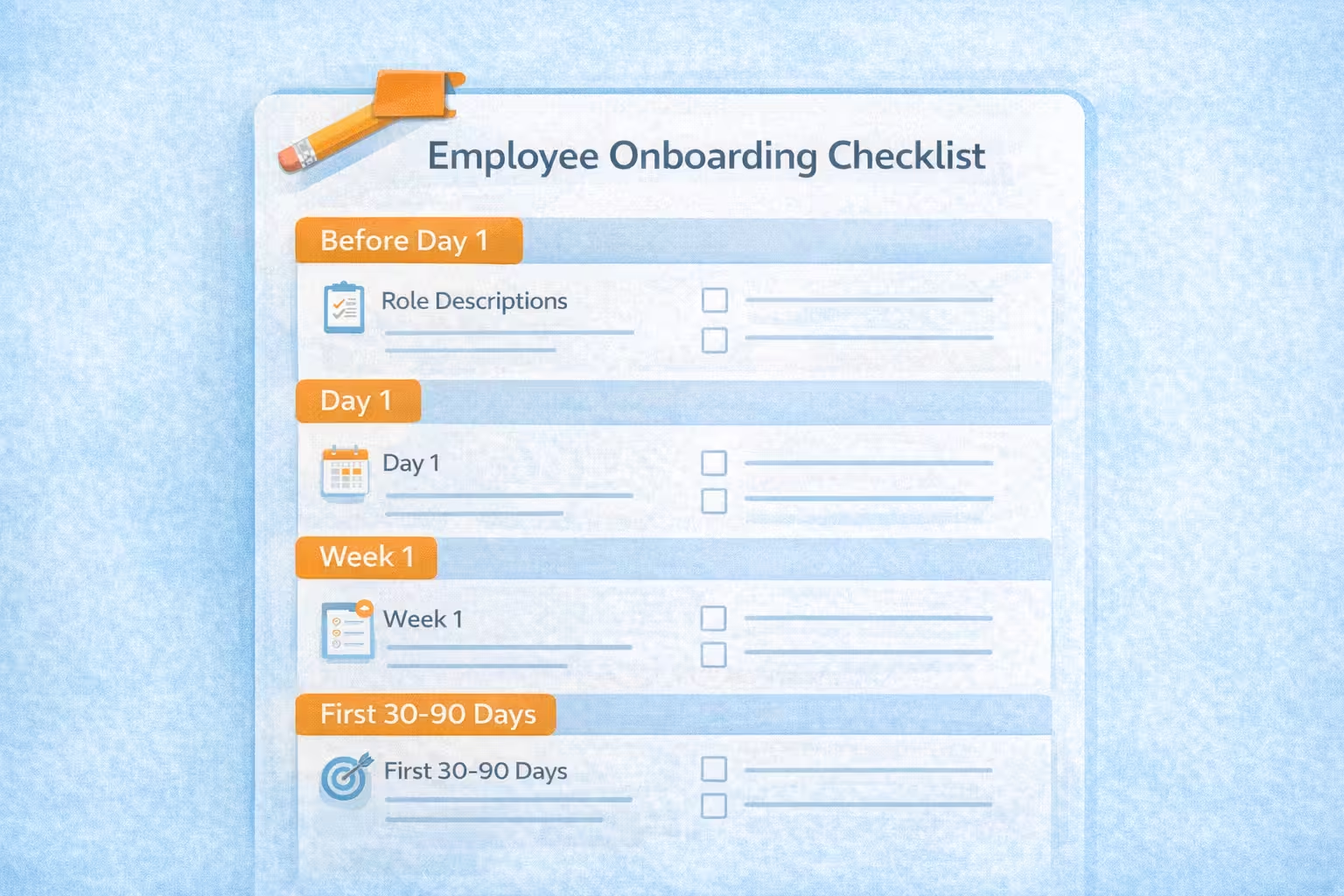
Simple Onboarding Checklist Template (You Can Copy)
You can adapt this to any small business:
Before Day 1:
Role description updated
Email & logins created
Workspace/tools ready
Welcome pack prepared
First-day schedule created
Day 1:
Warm welcome + tour
Business story + values shared
Admin forms completed
Basic policies explained
Tools and systems overview
Shadowing or simple tasks assigned
Week 1:
Clear weekly goal set
Daily training focus planned
At least one short check-in
Basic SOPs shared (top 3–5 processes)
First 30–90 Days:
30-day skill and responsibility goals defined
Check-ins scheduled (Week 2, Month 1, Month 3)
Feedback asked from new hire
Onboarding documents updated based on what worked/didn’t
You can paste this into a document and then ask BizClearAI:
“Customize this onboarding checklist for a new front-desk coordinator at my 5-chair hair salon.”
Bringing It All Together
Onboarding doesn’t have to be complicated or corporate.
As a small business owner, your advantages are:
You can move fast
You can be personal
You can tailor onboarding to the real job
With a bit of planning—and smart use of AI tools like BizClearAI—you can:
Give every new hire a clear, confident start
Reduce your stress when someone new joins
Build a stronger, more reliable team over time
This is how small businesses start building lean, AI-supported teams.
NEXT STEP:
Pick one role you hire for (or plan to hire soon). Ask BizClearAI:
“Help me build a simple onboarding plan for a new [ROLE] in my [TYPE OF BUSINESS]. Include a first-day schedule, first-week focus, and a 30-day goal.”
Then we’ll turn that into your first repeatable onboarding system.
Share this post
Get Your Actionable Strategy Now
Join the many entrepreneurs using BizClearAI to scale faster and smarter.
No credit card required • Get 70 credits free every month