
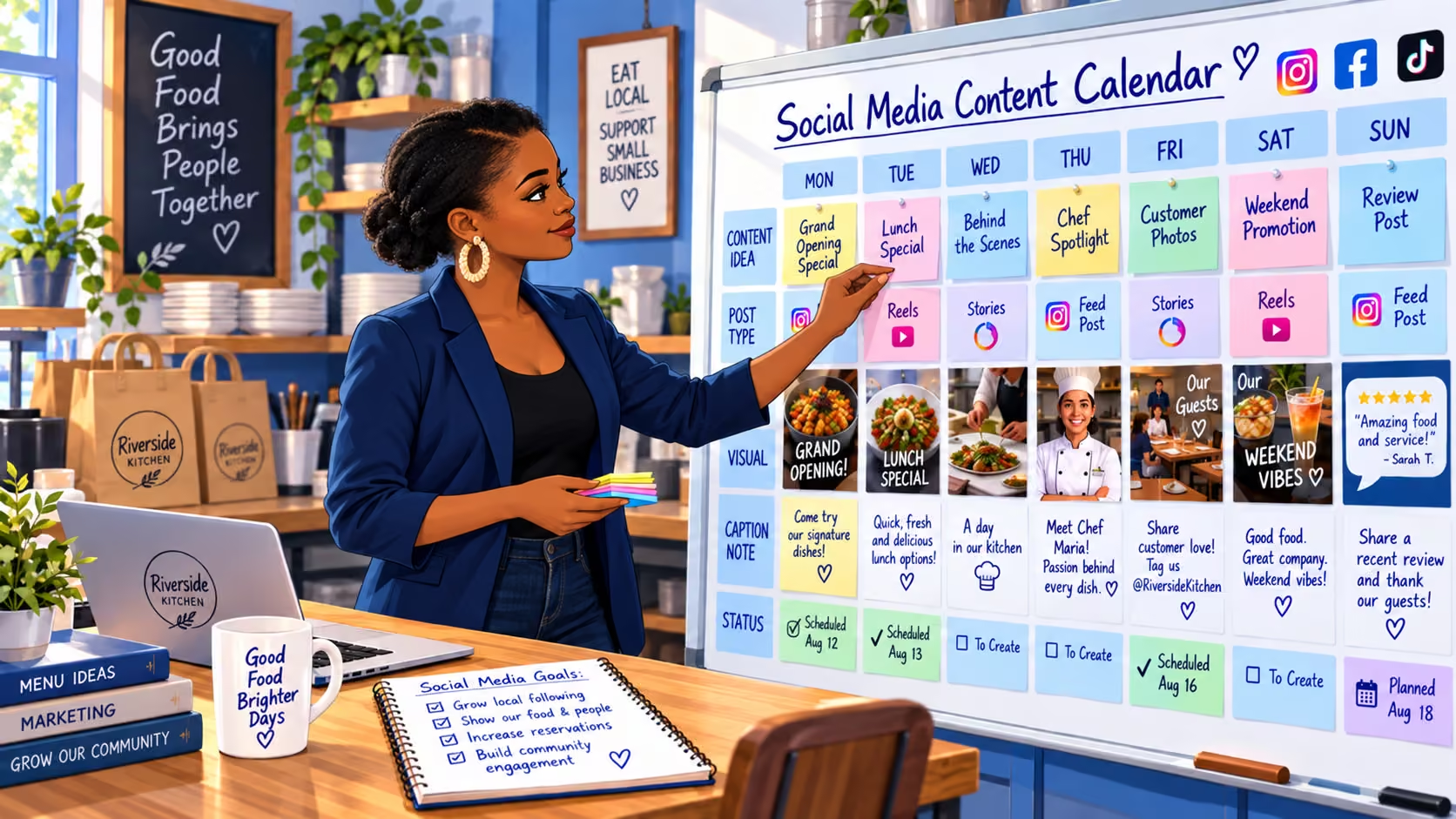
How Can a Small Business Manage Social Media on a Tight Budget?
Oct 8, 2026
12 min read
Want a Custom AI Consultation?
Experience how BizClearAI can transform your business with immediate, actionable insights and AI-powered consulting.
Direct answer: A small business can manage social media on a tight budget by choosing one primary platform, posting useful content consistently, and reusing photos, customer questions, and everyday work. Start with free tools, batch and schedule posts, and set a weekly time limit. Measure customer inquiries and bookings alongside engagement so you can see whether the effort is worthwhile.
You planned to post before opening. Then a customer called, an employee needed help, and the delivery arrived late. By evening, social media had become another unfinished task.
The answer is rarely to create a more ambitious content calendar. It is to make the work smaller and easier to repeat.
Managing social media on a budget for small business means budgeting your time as carefully as your money. A free account can still be expensive if you spend hours making posts that do not help anyone choose your business.
Here is a practical way to build a manageable routine.
1. Give Social Media One Clear Job
Before choosing topics, decide what social media should accomplish over the next month.
For example:
A plumber wants more local repair inquiries.
A salon wants to fill several weekday appointment openings.
A consultant wants conversations with business owners who need help with a specific problem.
“Grow our followers” is less useful than “help nearby customers understand our services and request an appointment.”
Choose one main outcome, then make the next step obvious. Update your profile with your service area, what you offer, and a working booking or contact link. If someone likes a post but cannot figure out where you operate or how to reach you, the content has not finished its job.
What should a small business prioritize on social media? Help the right customers understand your offer, trust your work, and take a clear next step. Follower growth is useful when it supports those goals.
2. Choose One Primary Platform
You do not need to maintain five active accounts because five platforms exist.
Start by asking recent customers where they follow businesses like yours. Check which accounts already generate relevant messages, website visits, or conversations. Use that evidence before following a general recommendation.
These are starting hypotheses to test:
Business situation | Platform worth considering | Content to test |
Your customers use local groups and community pages | Local updates, useful answers, completed work | |
Customers want to see your products or results | Product photos, demonstrations, before-and-after examples | |
You sell expertise to other businesses | Practical advice, project lessons, common buying questions |
Choose the platform where your customers are present and where you can realistically produce useful content.
A second platform can make sense when adapting a post takes only a few extra minutes. It should not require a separate production schedule before the first account is working.
If you participate in community groups, follow their promotion rules. Answering a relevant question is different from repeatedly dropping advertisements.
3. Set a Posting Schedule You Can Maintain
Start with two useful posts per week for four weeks. This is a manageable planning baseline, not a universal formula for reach.
Try one helpful post and one post showing your work or offering a clear next step. Add occasional timely updates when there is something worth sharing.
For a plumber, that might mean a Tuesday post explaining the difference between a dripping faucet and a leak that needs prompt attention, followed by a Friday photo of a completed fixture replacement.
Consistency means customers can find recent, relevant information. It does not mean publishing something every day regardless of quality.
How often should a small business post on a tight budget? Start with a frequency you can sustain, such as two useful posts each week. Increase it only when you have worthwhile material and evidence that the extra effort supports your goals.
4. Build Content From Work You Already Do
You do not need to invent a new campaign every week. Your daily business already produces useful material.
Answer Questions Customers Actually Ask
Keep a running note of questions from calls, emails, and appointments:
“How long will this service take?”
“What affects the price?”
“How should I prepare?”
“Which option is right for me?”
Answer one question in a short post. Explain the issue plainly and give the reader a practical next step.
Show What Your Work Looks Like
Capture a product detail, a finished project, or a short demonstration during normal work. A phone photo in good light can be enough.
Get permission before sharing identifiable customers, their property, or testimonials. Check photos for addresses, paperwork, and other private details.
Make a Specific Offer
Tell people what they can do next: request a quote, book an appointment, visit the store, or ask about a service.
“We have two haircut appointments available Thursday afternoon. Use the booking link in our profile to see current availability” is clearer than “Contact us for all your beauty needs.”
Example: A neighborhood salon
The owner collects a few approved hairstyle photos each week. One becomes a post about maintaining the cut between visits. Another shows a finished look. A timely update highlights an actual appointment opening. The content comes from normal appointments rather than a separate photo shoot.
5. Reuse One Idea in Several Useful Ways
Repurposing means changing the format or emphasis so the material remains helpful. It does not mean posting the same sales message repeatedly.
Suppose a consultant answers: “What should I prepare before our first meeting?”
That answer can become:
A short text post listing three things to bring.
A simple checklist image.
A brief video explaining why one item matters.
A later post answering a follow-up question.
Spread those pieces across your calendar. Update examples, offers, and details before reusing older material.
Example: An independent consultant
After explaining a common planning mistake during a client meeting, the consultant writes an anonymized lesson for LinkedIn. The following week, they turn the same lesson into a short checklist. Both posts address a real problem without requiring two separate research sessions.
Maintain a small folder of reusable photos and a document of approved answers. This reduces the time spent searching for something to post.
6. Start With Free Tools and Buy Only What Saves Time
A basic setup needs four functions: capture content, organize ideas, publish posts, and record results.
Task | Low-cost starting point |
Photos and short videos | Your phone camera and built-in editing tools |
Content ideas | A notes app or shared document |
Calendar and results | A basic spreadsheet |
Scheduling | Your platform’s native scheduling options, where available |
Graphics | A simple reusable layout in a free design tool |
LinkedIn offers native scheduling for supported post types, so a separate scheduling subscription is not always necessary. Check the platform’s current help guidance for account and format requirements.
If you use a free design plan, check whether the template and assets you select are included before building around them.
Buy a tool when you can name the bottleneck it solves. For example, a scheduler may be worthwhile if managing several accounts is taking substantial time. A subscription you rarely use adds cost without making the routine easier.
7. Batch Posts in a 90-Minute Weekly Routine
Batching reduces the repeated effort of opening apps, finding photos, and deciding what to say.
Try this sample weekly budget:
Activity | Time |
Choose two topics from your question list | 10 minutes |
Draft captions and prepare photos or graphics | 25 minutes |
Review and schedule the posts | 10 minutes |
Check comments and messages for five minutes on each weekday | 25 minutes |
Review inquiries and choose next week’s direction | 10 minutes |
Buffer for capturing a photo or making a correction | 10 minutes |
Total | 90 minutes |
These times are an example. Your first few sessions may take longer while you build reusable material.
Before scheduling, check the service details, spelling, link, date, and call to action. Keep time-sensitive offers close enough to publication that you can confirm they are still accurate.
Scheduling handles publication; you still need to respond to people. If customers routinely use messages for urgent requests, make your response expectations and faster contact option clear.
The U.S. Small Business Administration’s guidance on social media calendars also emphasizes planning content to keep the work organized. Small Business Administration
8. Track Customer Actions, Not Just Likes
A post can receive attention without producing business. It can also help someone trust you before they call several weeks later.
Track a few useful signals:
Relevant messages and quote requests.
Booking or contact-page visits, where measurable.
Appointments or sales connected to social media.
Time spent creating and managing content.
Ask new customers, “How did you first hear about us?” and “Did you look at our social pages before contacting us?” Those answers help distinguish discovery from reassurance.
Review results monthly. Look for repeated patterns rather than declaring success or failure after one post.
Example: A local plumber
One maintenance tip receives plenty of likes, while a post showing a recent repair generates two relevant inquiries. The owner tests more posts explaining similar repairs and the service area. They also record which inquiries become jobs. These are illustrative results, not promised outcomes.
If the account gets little attention, revisit the topics and how customers find it. If people visit but do not inquire, check whether the offer, location, and next step are clear.
Copyable Weekly Social Media Plan
Copy this into a document and complete it before creating posts:
WEEK OF:
MAIN BUSINESS GOAL:
TARGET CUSTOMER AND LOCATION:
PRIMARY PLATFORM:
WEEKLY TIME LIMIT:
MONTHLY CASH LIMIT:
POST 1 — ANSWER A CUSTOMER QUESTION
Question:
Short, useful answer:
Photo or visual, if needed:
Next step for the reader:
Publication date:
POST 2 — SHOW YOUR WORK OR MAKE AN OFFER
Result, product, service, or current availability:
Why it matters to this customer:
Photo, demonstration, or supporting detail:
Next step for the reader:
Publication date:
REUSE OPPORTUNITY:
What can become a checklist, short video, or follow-up post?
REVIEW BEFORE PUBLISHING:
Details accurate? Permissions checked? Link working?
END-OF-WEEK RESULTS:
Relevant inquiries:
Bookings or sales connected to social:
Time spent:
What to repeat or change:
Common Mistakes That Waste a Small Social Media Budget
Trying to be everywhere. Add another platform when you have a clear reason and enough capacity to maintain it.
Spending too long on graphics. Set a limit. A useful answer with a clear photo often deserves publication before you spend another hour adjusting colors.
Posting only promotions. Mix offers with answers and evidence of your work so people have reasons to pay attention between purchases.
Buying tools before building a routine. First establish what you actually need to do each week.
Boosting posts without a clear goal. If you test paid promotion, define the audience, desired action, spending limit, and way to measure results first.
Using AI drafts without checking them. Review prices, service details, claims, and tone. Keep confidential customer information out of prompts.
Continuing because you already invested time. If a platform consistently consumes effort without useful signals, reduce the workload and test a different approach.
Frequently Asked Questions
Can a small business manage social media without spending money?
Yes. A phone, free publishing features, and a simple content calendar can support a basic routine. You still need to budget time for creating content and responding to customers.
Do I need to post every day to get customers?
No. Daily posting is not a requirement for every business. Begin with a sustainable schedule, then use customer response and business results to decide whether more frequent posting is worthwhile.
Which social media platform should my small business use first?
Choose the platform your customers use to follow or evaluate businesses like yours. Ask customers, review existing inquiries, and consider which content formats you can maintain.
What should I post when I have no content ideas?
Start with the last five questions customers asked you. Add a photo of your work, an explanation of your process, or a practical tip that helps someone prepare for your service.
Is it okay to reuse social media content?
Yes, when it remains accurate and useful. Change the format or example, refresh outdated details, and avoid repeating identical promotions so often that the account feels stale.
Can AI help me manage social media on a tight budget?
AI can help organize topics, draft captions, and turn one useful answer into several formats. You should review the output and handle customer conversations yourself. Drafting content and automatically publishing it are separate capabilities.
Build a Routine That Fits Your Business
Start with one platform, two useful weekly posts, and a clear way for customers to contact you. Run the routine for a month, then review what you learned before adding more work or spending.
If choosing topics or organizing the schedule is the sticking point, BizClearAI can help you create a customized social media strategy based on your business, customers, budget, and available time. You can use it to draft a content calendar, reusable captions, a posting checklist, or an SOP for someone on your team.
Give it a specific starting point: “I run a local salon, have 90 minutes a week for social media, and want to fill weekday appointments. Help me create a four-week plan.”
The goal is a useful presence you can maintain while still running your business.
Share this post
Get Your Actionable Strategy Now
Join the many entrepreneurs using BizClearAI to scale faster and smarter.
No credit card required • Get 70 credits free every month